
Stop chasingspreadsheets.
Send clients, suppliers or staff a link to a spreadsheet that checks their data as they type. When they're done, they download a clean CSV and send it to you, ready to import.
Free plan • No credit card • No integration needed
How it works
1. Set your columns and rules
Required fields, numbers, dates, dropdowns, unique IDs.
2. Send a link or embed it
No account needed for the people filling it in.
3. Mistakes are caught as they type
The CSV can't be downloaded until everything passes.
4. They send you the CSV
By email, or however you normally receive files. Nothing to connect.
Live demo
Try what your customers see.
Three rows have deliberate mistakes. Hover a red cell to see what's wrong, fix it, and watch Download CSV unlock. Or import a CSV of your own. No signup needed.
Your own columns, your own rules, your own branding.
The problem
The spreadsheet always comes back wrong.
You send a template with instructions. It comes back with renamed columns, missing fields, dates in three formats and IDs that Excel turned into scientific notation. Then you spend an afternoon fixing it, or send it back and wait again.
Import Builder moves the checking to the person who has the information, while they're still typing it.
No more blank Excel attachments
People fill in a spreadsheet in their browser that only accepts what you asked for.
No more chasing missing fields
Required columns, dropdowns and formats are checked before the file can be downloaded.
No more fixing data by hand
Duplicates, bad emails and out-of-range numbers are flagged where they're typed.
No change to your systems
The finished CSV uses your column names, ready for the import you already do.
See it in action
Built for the person filling it in, and for you.
For the people filling it in
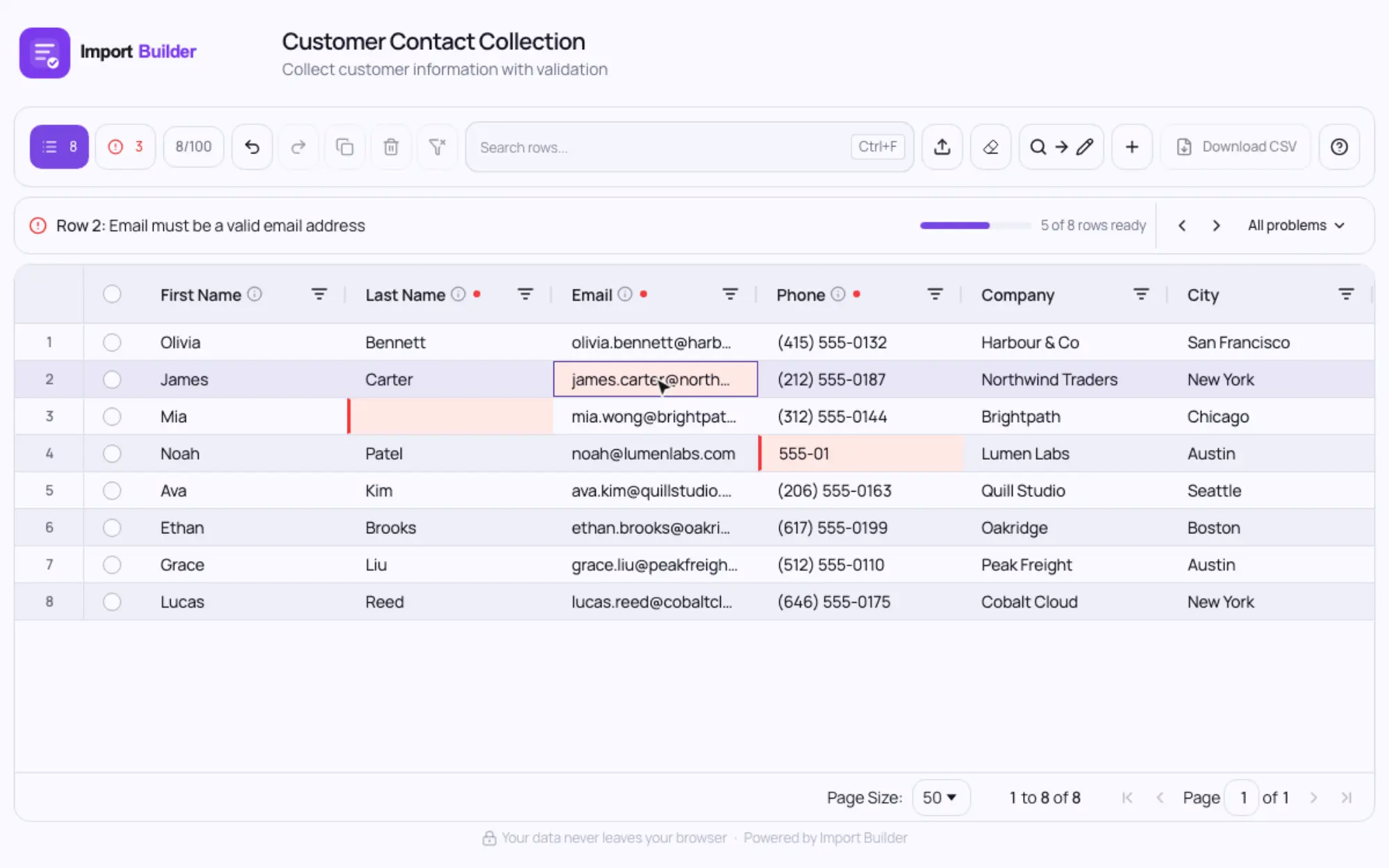
Mistakes are caught, and explained.
Drop in a spreadsheet and every problem is highlighted, with a plain-English reason. Fix it in place, and download a clean CSV once nothing's left.
For the people filling it in
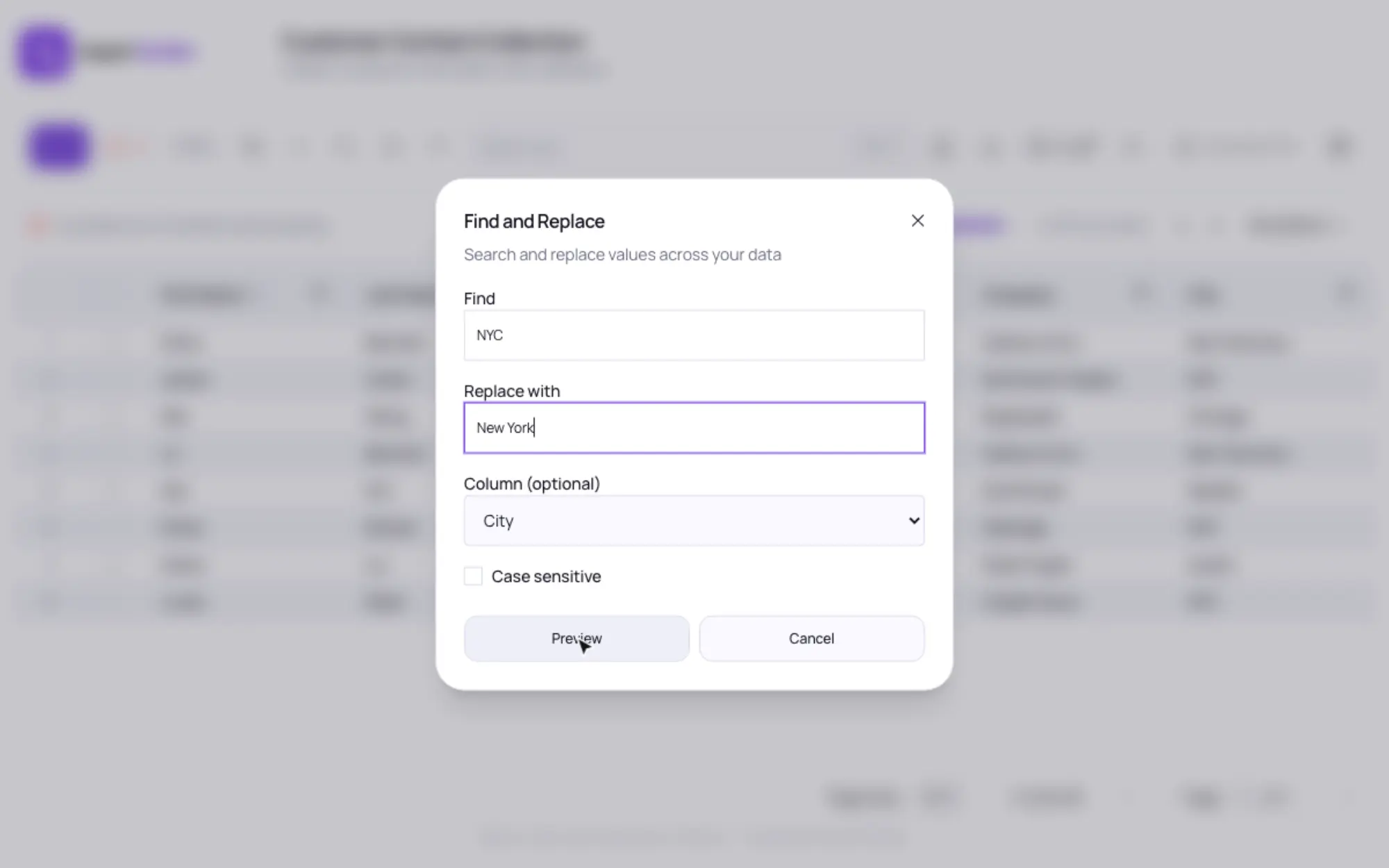
Tidy a whole column in one go.
Find and replace shows every change before it's made. Duplicates are flagged on both rows until one is fixed or removed.
For you
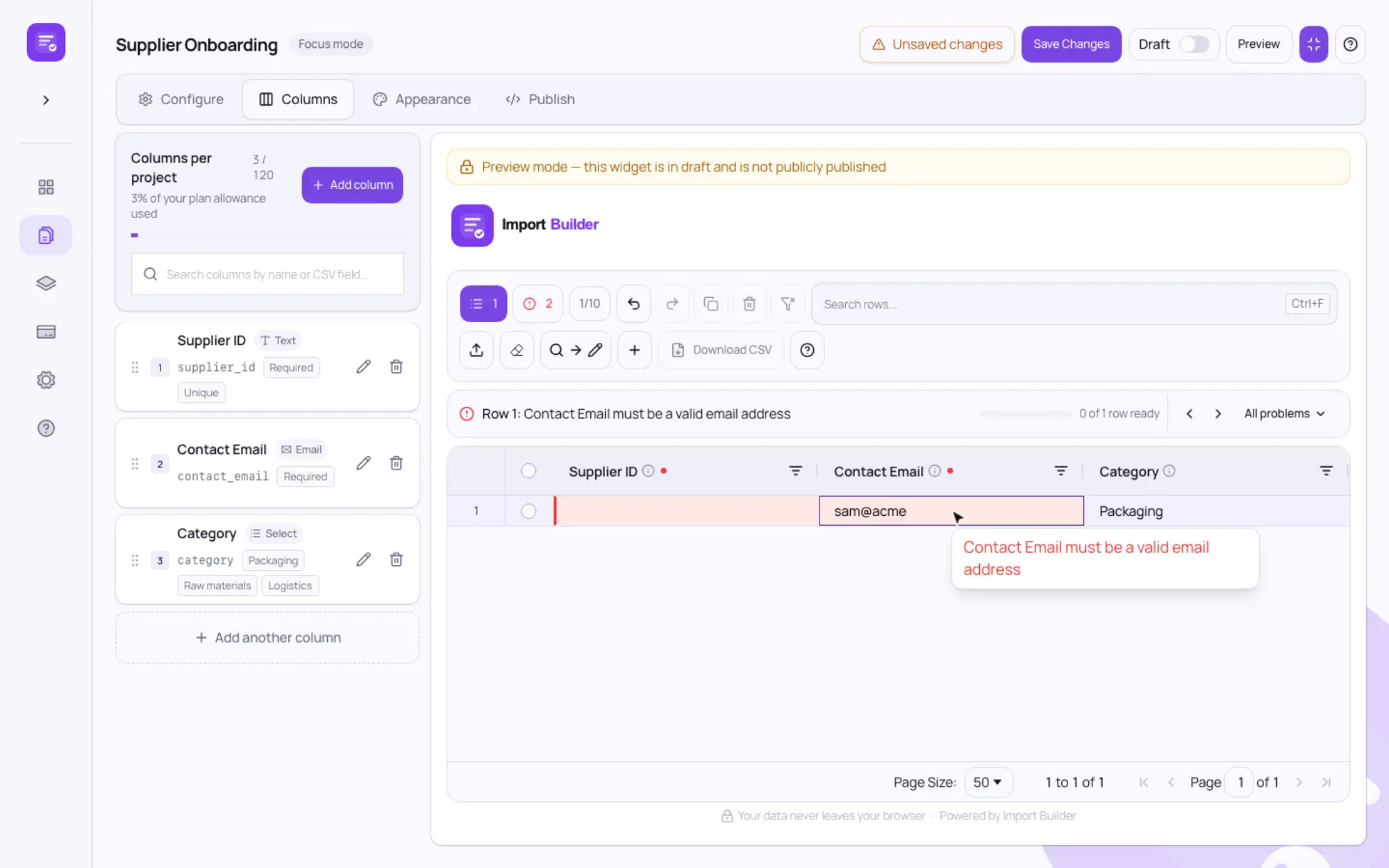
Build the form in minutes.
Add the columns you need, choose types like email, dropdown or date, and mark what's required. The live preview shows exactly what people will see.
For you
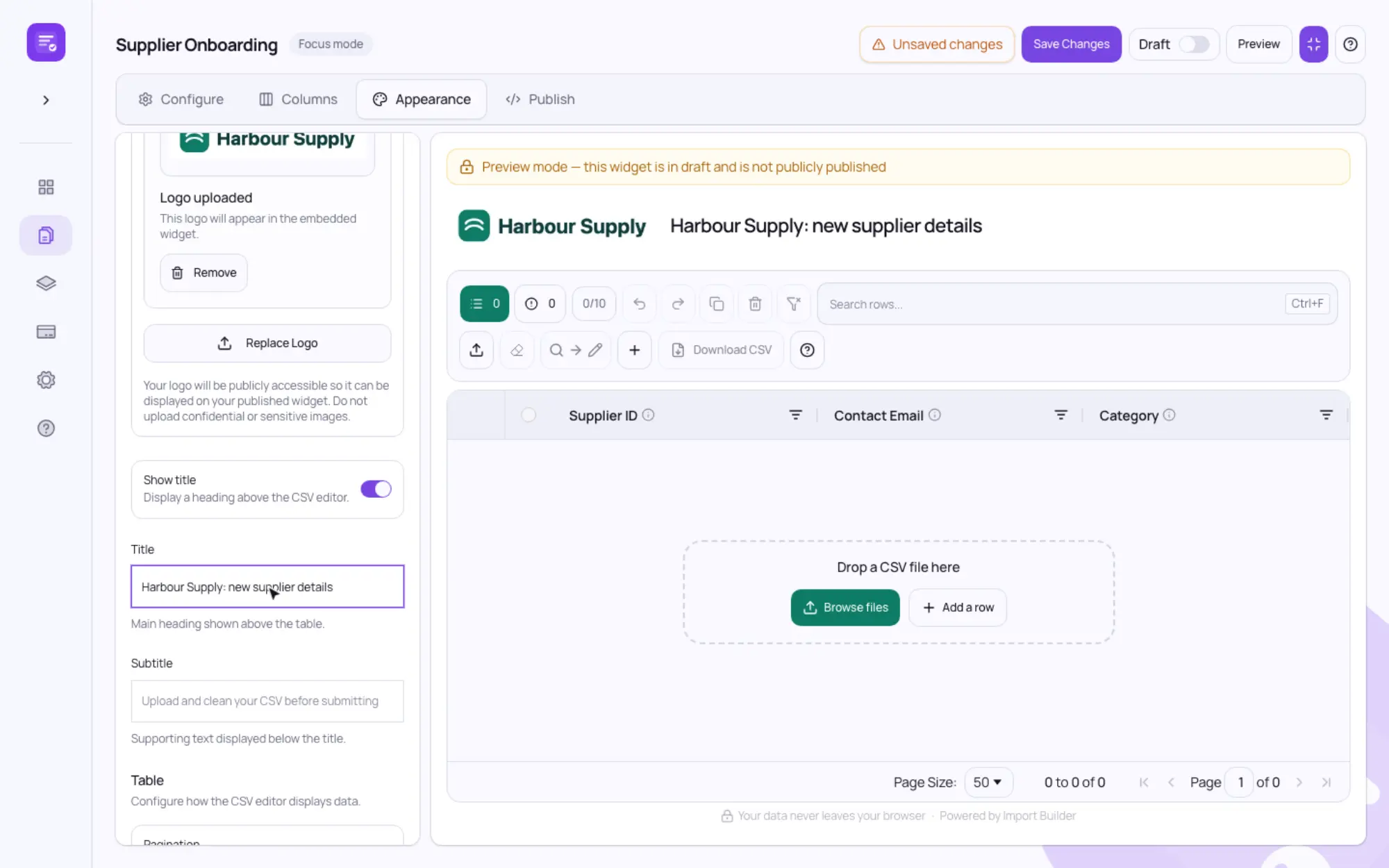
Make it yours, then send the link.
Publish it and copy the link to send. The people filling it in don't need an account.
- Your logo and brand colour (Pro)
- A title and instructions
- One link to send, or embed it on your site
We never see the data people enter
Checking and CSV creation happen in the browser of the person filling it in. Only the form's setup is loaded from our servers, so there's no customer data on our side to leak.
Who it's for
Anyone who collects data from people outside their systems.
Property managers
Property, owner, tenant and contractor details.
Accountants & bookkeepers
Client financial and business information.
Wholesale & suppliers
Product catalogs, SKUs, pricing and stock levels.
E-commerce teams
Product and inventory data ready for import.
Marketing agencies
Client contacts, campaigns and lead lists.
Construction
Project, site, job and subcontractor information.
Real estate agents
Listings, vendors and rental information.
Recruiters
Candidate and placement details in one format.
Start with a template.Make it yours.
Ready-made column sets for common imports, such as HubSpot, Shopify and QuickBooks. Pick one, adjust the columns and rules, and publish.
HubSpot Contacts
Names, emails, companies and lifecycle stages for a HubSpot import.
Shopify Products
Titles, variants, SKUs and prices in Shopify's import format.
Supplier Products
Product names, SKUs, pricing and stock from your suppliers.
QuickBooks Customers
Customer names, contacts and billing details for QuickBooks.
Questions
Do the people filling it in need an account?
No. They open the link, or the page where you've embedded it, and start typing or import a file they already have.
How do I get the data back?
They download the finished CSV, which can only happen once everything passes your rules, and send it to you however you normally receive files. It uses your column names, so it's ready for your import.
Do you see or store the data?
No. Everything is checked and the CSV is created in the browser of the person filling it in. We only store your form's setup: its columns, rules and appearance.
Is there a free plan?
Yes. The Free plan is free indefinitely and includes 3 projects, 25 rows per project and 60 columns per project. Pro raises that to 30 projects and 1,000 rows, and adds your own logo and brand color.
Can I put it on my own website?
Yes. Share it as a link, or paste the embed code into your website or customer portal.
What can I check?
Required fields, text with minimum and maximum lengths, numbers with minimums, maximums and decimal places, emails, web addresses, phone numbers, dates in your chosen format, dropdown options and unique values such as invoice numbers.
More in the documentation and on the pricing page.
Get the spreadsheet back right the first time.
Build your first form in a few minutes and send it to someone who owes you data.
Resources
Helpful guides for spreadsheet and data problems.
Learn how to avoid common CSV and spreadsheet formatting problems before they cause issues downstream.